
Opening your 2UFi Business Suite* account is quick and secure. With a 2UFi Business Suite, you’ll gain business insights and earn money while you sleep.
Before you begin
Submitting everything upfront gets your 2UFi Business Suite up and running faster. For a quick sign-up process, have this personal and business information ready:
- Personal ID (government-issued, e.g. driver’s license or passport)
- Social Security Number (SSN)
- Home address and citizenship status
- Employer Identification Number (EIN)
- Legal business address and phone number
- Business website, if applicable
- NAICS industry code
Opening your account
1. Sign up
- Download 2UFi from your device’s app store or visit app.2ufi.com
- Tap Sign Up.
2. Verify your email
- Check your email inbox for a message from 2UFi.
- Tap the Verify Your Account button and log in.
3. Secure your account
- Enter your mobile phone number to receive a secure code via text.
- Enter the code to complete verification.
4. Set up your 2UFi Passport
- Enter your name and business information.
Pro Tip: Now you you can link your bank accounts to gain business insights, add team members, and organize documents in your 2UFi Passport.
Note: If you do not have significant responsibility and authority for managing the business, such as being an owner, CEO or a managing member (also referred to as the “control prong” and/or primary user), you will be asked to invite the primary user to complete online account opening. They will then need to invite you to join the Business Passport.
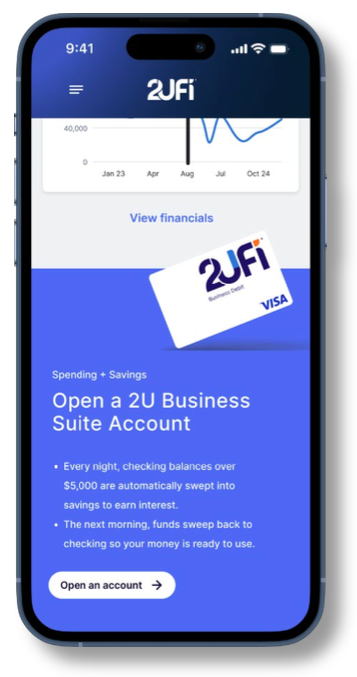
5. Open a 2UFi Business Suite Account
Submit your application. Your dashboard will show your progress, let you know if we need any documents, and guide you through funding your account.
Tap Open an Account on your dashboard.
Your application will be pre-filled with information from your 2UFi Passport. Review and complete the application with your ownership percentage and business roles.
Still have questions? The 2UFi Support Hub is here to help. Contact the 2UFi Support Hub at 1-844-988-2834 (2UFI), Monday–Friday, 8:00am–5:00pm Central, for any questions about your application or onboarding process.
*2UniFi, LLC, is a financial technology company, not a FDIC-insured bank. Banking and lending products and services are provided by Bank of Jackson Hole Trust, Member FDIC. Deposit insurance covers the failure of an insured bank.